DocxFlex for Excel and PowerPoint is on the way.Register interest →
For Microsoft Word on Windows, Mac and the web

Documents that flex,
not break.

Your approved templates, content blocks, images and styles in a sidebar inside Word. Your team builds on-brand documents fast, even with a tender due at five.

Set up for you by brand specialists · Live in 2 weeks · Australian built and hosted

  1. Fonts
  2. Logo
  3. Bio
  4. Table

Fonts gone rogue again? Apply your style profile in one click.

The old logo crept back in? Drop in the approved one from Assets.

Someone used the 2019 bio? Insert the current one from Blocks.

Tables all over the place? Apply your table style. Done.

Templates look great on handover. Then they’re copied, edited and broken. Old logos creep back in. Off-brand documents go out. Usually right when a tender is due.

Your experts should be writing, not formatting. See how DocxFlex fixes it

Everything on brand,
one sidebar away.

  1. Bios, case studies, methodology, safety statements and boilerplate, written once and found in seconds. Filter by category, insert with a click.

    Explore Blocks
  2. Wrote something worth reusing? Select it and capture it straight into the library, ready for the next proposal.

    How capture works
  3. Update a block, logo or template once in DocxFlex Central. Every sidebar refreshes to the approved version. Last year’s copy retires itself.

    Meet DocxFlex Central
  4. Windows, Mac and Word for the web. Same sidebar, same library, nothing new for your team to learn.

    Deployment and IT

Word today.
Excel and PowerPoint next.

One library and one portal for every Microsoft 365 document your team sends out.

Microsoft WordAvailable now

DocxFlex for Word

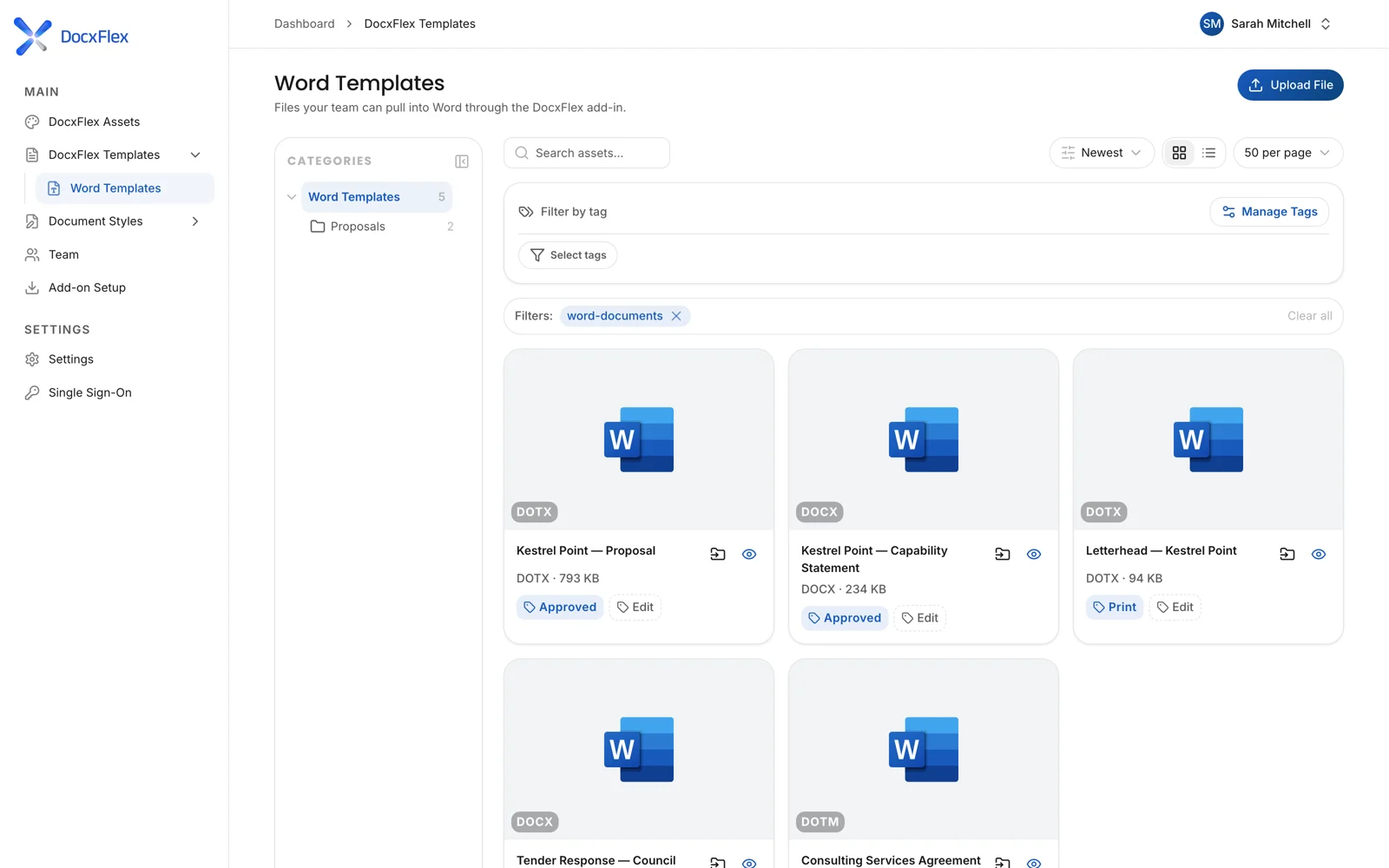
Templates, content blocks, images and style profiles in a sidebar inside Word. Proposals, tenders, capability statements, reports and quotes.

Explore DocxFlex for Word
Microsoft ExcelComing soon

DocxFlex for Excel

On-brand workbooks, pricing schedules and tables from the same approved library.

Register interest
Microsoft PowerPointComing soon

DocxFlex for PowerPoint

Pitch decks and presentations that stay on brand, slide after slide.

Register interest

Live in two weeks.
We do the setup.

No template wrangling for your team. Our brand specialists build the library, then hand you the keys.

01

We set it up

We redesign your key Word documents and build your DocxFlex library of templates, content blocks, styles and images.

  • Up to 4 documents redesigned
  • Style profiles set up in your portal
  • Tips and how-to guides for your team
02

Your team works in Word

Open the DocxFlex sidebar, pick a template, insert content blocks, apply approved styles and images. Done.

  • No new app to learn
  • Windows, Mac and Word for the web
  • Sign in with a DocxFlex login or Microsoft
03

You stay in control

Update a content block or template once in DocxFlex Central and everyone gets the latest approved version.

  • Central control over templates, images and access
  • Team roles for admins and members
  • 20GB of storage on every plan

See DocxFlex in 60 seconds.

One Word document, before and after. Right logo, right bio, right fonts.

Hours back before a single tender is won.

One price per organisation. The more of your team uses it, the less each person costs.

Estimate over 48 working weeks. Your own numbers may vary.

480 hours a year

back in your business, about 13 working weeks.

Suggested plan Team $299 a month, billed annually
Billed annually Monthly Save about 17% annually

Starter

Up to 3 users

$99/month

about $33 per user Book a demo

Plus

Up to 10 users

$199/month

about $20 per user Book a demo

Business

Up to 50 users

$549/month

about $11 per user Book a demo

Enterprise

50+ users

POA

lower again per user Talk to us
Launch Package · $4,500 one-offUp to 4 documents redesigned, styles set up, library built, tips and guides. Live in 2 weeks.
Full pricing and plan details

All prices AUD ex GST. Every plan includes the Word add-in, DocxFlex Central, 20GB storage and Australian hosting and support.

Already using SharePoint?
Keep it.

SharePoint stores your files. DocxFlex keeps them on brand once they’re open in Word. Your files stay exactly where they are.

SharePoint

  • Stores and shares your files
  • Controls a template once it’s downloaded and edited
  • Approved blocks and images inside Word
  • Fixes fonts and tables in one click

DocxFlex

  • Works alongside SharePoint
  • Keeps every document on brand inside Word
  • Approved blocks, images and templates in a sidebar
  • Style profiles applied in one click

Questions,
answered.

Something else? Call 1300 799 858.

Does DocxFlex work on Mac?

Yes. DocxFlex works inside Microsoft Word on Windows, Mac and Word for the web.

How do people sign in?

Your team can sign in with a DocxFlex login or with Microsoft single sign-on.

How long does setup take?

About 2 weeks. With the Launch Package our brand specialists redesign up to 4 of your Word documents, set up your styles and build your content library.

We already use SharePoint. Do we need to move our files?

No. Your files stay where they are. DocxFlex works alongside SharePoint and puts approved templates, content blocks and styles directly inside Word.

When are Excel and PowerPoint coming?

We’re building them now. DocxFlex for Word is available today. Register your interest and we’ll tell you first.

Where is DocxFlex hosted?

DocxFlex is Australian built, supported and hosted.

Every document,
on brand.

Book a 20-minute demo and see your own documents working in DocxFlex.